주요 개념
- 각 Route페이지 내 Page폴더를 생성하여 Content 분리
- 배열 INDEX를 state로 설정
- 메뉴 클릭 시 URL변경 없이 각 Page 컴포넌트가 리렌더링 된다.
실습 환경
- nodejs react 패키지
구현 결과
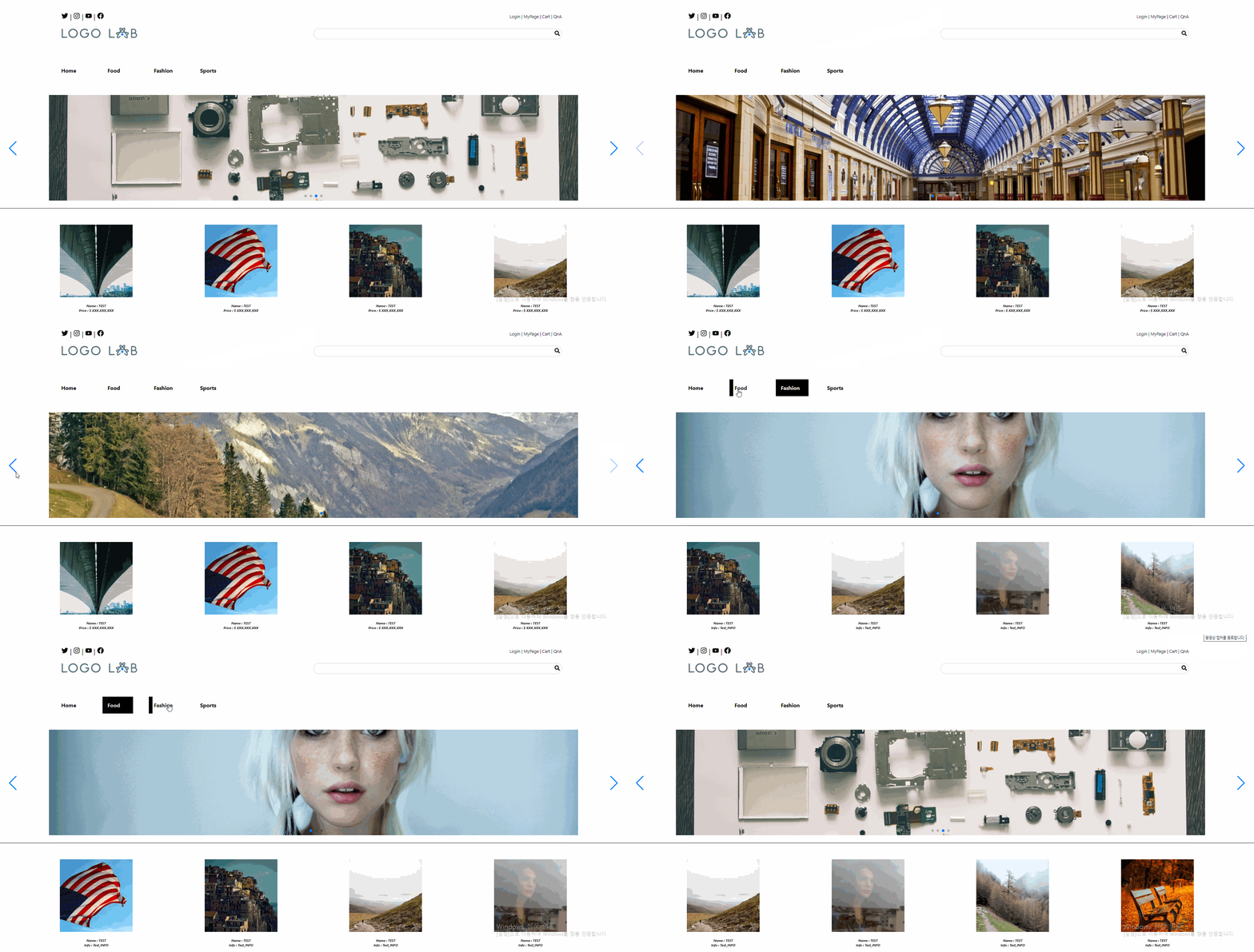
.Routes/Main/Page/Page1.js
- test용으로 fetch데이터가 아닌 랜덤 사진 생성 url이 담긴 배열 전송
- 받은 배열을 순회하여 상품목록을 만든다.
import styled from "styled-components";

const StyledSpan = styled.span`
    width:320px;
    height:320px;
    padding:15px;
    text-align:center;
`;

const StyledImg = styled.img`
    width:220px;
    height:220px;
    padding:15px;
`;
const StyledText = styled.div`
    font-size:8px;
    font-style:italic;
    font-weight:bold;
`;


const Page1 = (props) => {
    return (
        <>
            {props.items.map((data, index) => {
                return (
                    <>
                    <StyledSpan>
                        <StyledImg src = {data.src}></StyledImg>
                        <StyledText>Name : TEST</StyledText>
                        <StyledText>Info : Test_INFO</StyledText>
                    </StyledSpan>
                    </>
                )
            })}
        </>
    )
}

export default Page1;
.Routes/Main/Page/index.js
- 각 페이지를 import하여 부모로부터 전달받을 배열을 Main.js로 export
import { default as Home } from "./Home";
import { default as Page1 } from "./Page1";
import { default as Page2 } from "./Page2";
import { default as Page3 } from "./Page3";
export default
    [
        {
            "title" : "Home",
            "content" : Home
        },
        {
            "title" : "Food",
            "content" : Page1
        },
        {
            "title" : "Fashion",
            "content" : Page2
        },
        {
            "title" : "Sports",
            "content" : Page3
        }
    ];